
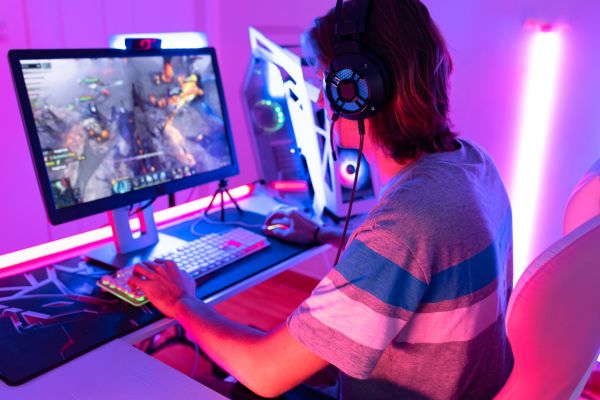
Streaming games on Twitch has gone from a niche hobby to a mainstream form of entertainment. What once felt like a playground for hardcore gamers is now a place where casual players, artists, musicians, and storytellers all find an audience. If you’ve ever watched a streamer and thought, I could do that, you’re probably right. Learning how to stream games on Twitch isn’t about being the best player in the room. It’s about sharing an experience in real time and inviting people into it.
This guide walks through the process from the ground up, without hype or shortcuts. Just the essentials, explained clearly, with room for your own personality to take over once you’re live.
Understanding What Twitch Streaming Really Is
At its core, Twitch streaming is simple. You play a game, your gameplay is broadcast live over the internet, and viewers can watch, chat, and interact with you as it happens. But what makes Twitch different from uploading gameplay videos elsewhere is the immediacy. Nothing is polished or edited. Mistakes happen live. Wins feel bigger. Losses sting more. That shared moment is the whole point.
Twitch thrives on connection. Some streamers lean into high-level gameplay, others into humor, storytelling, or calm background vibes. There’s no single formula that defines success, and that flexibility is what makes starting less intimidating than it might seem.
Setting Up a Twitch Account the Right Way
Before worrying about software or gear, you need a Twitch account that feels like you. Creating one is straightforward, but the choices you make early help set expectations for viewers.
Your username matters more than people think. It doesn’t have to be clever or brand-ready, but it should be easy to read, say out loud, and remember. Once chosen, take a moment to fill out your profile bio. A short, honest description of what you enjoy playing or why you stream is enough. You’re not pitching anything. You’re just giving visitors a sense of who they’re about to watch.
Enabling two-factor authentication is also worth doing early. It protects your account and unlocks basic streaming features, saving you from headaches later.
Choosing the Equipment You Actually Need
One of the biggest myths about Twitch streaming is that you need expensive gear to start. You don’t. You need reliable tools, not flashy ones.
A computer or console capable of running your game smoothly is the foundation. If your system struggles to play the game, streaming will amplify those problems. Stability matters more than raw power.
Audio quality often matters more than video. Viewers will tolerate average visuals, but poor sound drives people away fast. A basic USB microphone can go a long way. It doesn’t need studio quality, just clarity and consistency.
A webcam is optional, especially at the beginning. Some streamers never use one. If you do choose to use a camera, decent lighting will matter more than the camera itself. Natural light or a simple lamp can dramatically improve how you look on stream.
Streaming Software and Why It Matters
To actually broadcast gameplay, you’ll need streaming software. This is the bridge between your game and Twitch.
OBS Studio is the most common choice for beginners, largely because it’s free and powerful without being locked behind subscriptions. It lets you capture your game, your microphone, optional camera, and on-screen elements, then send everything to Twitch in real time.
Setting it up can feel technical at first, but most of the work is done once. You connect OBS to your Twitch account using a stream key, choose your audio sources, and adjust basic video settings. You don’t need perfection here. A stable stream at moderate quality is far better than a high-resolution stream that constantly lags or crashes.
If you’re streaming directly from a console, Twitch offers built-in streaming options. These are more limited but perfectly usable for starting out, especially if you want to avoid extra setup.
Preparing Your Stream Before Going Live
Going live without preparation can feel like jumping on stage without knowing your lines. Even a little planning helps ease nerves and improve the experience.
Choose a game you genuinely enjoy. Viewers can tell when someone is forcing interest, and enthusiasm is more engaging than skill. Make sure your game audio, microphone, and alerts are balanced so nothing overwhelms the rest.
It’s also worth checking your internet connection. A wired connection is far more reliable than Wi-Fi, and consistency matters more than speed alone. Dropped frames or constant buffering can break immersion quickly.
Before you hit “Start Streaming,” record a short test. Listen back. Watch a minute. Adjust what feels off. This small step builds confidence and saves frustration later.
Going Live and Finding Your On-Stream Voice
The first few streams are often quiet. That’s normal. Twitch doesn’t automatically push new streams to large audiences, so learning how to stream games on Twitch also means learning how to be comfortable when only a handful of people—or no one at all—are watching.
Talk anyway. Narrate what you’re doing. Share thoughts about the game, your decisions, or even unrelated topics. This habit helps when someone does join, and it makes replays more watchable.
There’s no need to perform or exaggerate. Viewers tend to stick around for authenticity. If you’re calm, be calm. If you’re energetic, lean into it. Over time, your natural rhythm becomes your style.
Understanding Chat and Viewer Interaction
Chat is where Twitch truly comes alive. It turns streaming from a broadcast into a conversation.
When someone types in chat, acknowledging them matters. A simple greeting or response makes people feel seen. You don’t have to be clever or fast. Just present.
Moderation tools exist for a reason. Setting basic chat rules early creates a healthier environment and protects your enjoyment. Streaming should feel welcoming, not stressful.
Remember that silence isn’t failure. Many viewers watch quietly. They’re still there, still listening, still part of the stream.
Building Consistency Without Burning Out
Streaming consistently helps people know when to find you, but consistency doesn’t mean streaming every day. It means choosing a schedule you can realistically maintain.
Two or three streams a week at predictable times is often better than daily streams that leave you exhausted. Twitch is a marathon, not a sprint. Enjoyment fuels longevity, and viewers notice when a streamer is having fun versus forcing it.
Take breaks. Miss days when needed. The platform isn’t going anywhere, and neither are the people who genuinely enjoy your content.
Learning, Adjusting, and Growing Over Time
Every stream teaches you something, even when it feels messy. Maybe your audio was off. Maybe a certain game felt better on stream than expected. Maybe you discovered you enjoy chatting more than playing competitively.
Growth on Twitch is rarely linear. There will be slow periods and sudden spikes. Comparing yourself to others usually does more harm than good. Focus instead on small improvements and moments that felt right.
Watch your own streams occasionally. Not to criticize, but to understand how you come across. This self-awareness helps refine your approach naturally.
A Natural Conclusion on Starting Your Twitch Journey
Learning how to stream games on Twitch isn’t about mastering technology or chasing numbers. It’s about creating a space where gameplay and personality intersect in real time. The tools matter, but they’re secondary to the experience you’re sharing.
Your first stream won’t be perfect. Neither will your tenth. That’s part of the appeal. Twitch rewards presence, curiosity, and consistency far more than polish.
If you’re willing to show up, press “Go Live,” and let yourself learn as you go, you’re already doing it right. The rest unfolds one stream at a time.